
How Nigerian YouTube Creators Can Choose a Clear Channel Handle
A good YouTube handle is short, distinctive, easy to say and close to the public name people already know. It begins with the @ symbol and gives your channel a unique identity for mentions, comments, Live Chat, Shorts and a shareable channel URL. Choose one that can survive a new content series, a larger team and several years of growth.
Your handle is not the same as your channel name. The name is the display title viewers see. The handle is the unique identifier attached to your channel. Two channels may use similar display names, but each channel can have only one handle and no two channels can use the same one.
The handle will not make a weak video rank or guarantee that people subscribe. Its job is simpler: help viewers recognise, type, mention and share the correct channel without unnecessary confusion.
Understand the handle's role
YouTube's official handle guide says handles appear in comments, mentions, Live Chat and Shorts. A handle also creates a channel address in the format youtube.com/@handle, which can be shared outside YouTube.
| Element | Main job | Example |
|---|---|---|
| Channel name | Displayed public title | Kemi Teaches Design |
| Handle | Unique mention and URL identifier | @kemiteachesdesign |
Keep the two related when possible, but do not force an awkward handle merely to copy every word in a long channel name. A concise identifier can be easier to remember while the full name carries the detail.
Build a shortlist from your public identity
Begin with the name already printed on your website, media kit, invoices, event material or product packaging. If the channel represents a person, use the professional name that audience members hear in the videos. If it represents a business, start with the trading name rather than a temporary campaign.
Create three to five candidates. Put the strongest words first. Remove details that are likely to expire, such as a current year, one course title or a short-lived slogan. Add a useful qualifier only when the plain name is unavailable or too broad.
- Useful qualifier: the creator's field, city or established programme name.
- Weak filler: random numbers that viewers cannot connect to the channel.
- Risky detail: a phone number, private email address or date of birth.
- Misleading choice: wording that suggests the channel is another person or an official organisation when it is not.
Test the shortlist like a viewer
A handle can look clever on a planning sheet and still fail when spoken. Read each candidate aloud once and ask someone to write it without seeing it. If the spelling is regularly wrong, simplify it. Then place the candidates on a card and read them from several metres away. This exposes long strings and punctuation that disappear at a glance.
Next, ask a colleague to type the handle on a phone. Count the explanations required. A handle that needs repeated instructions such as “underscore after the second word, then two sevens” creates friction every time you mention it in a video or at an event.

Check YouTube's naming rules
YouTube says most handles must contain 3 to 30 characters. They can use letters or numbers from supported languages. Underscores, hyphens and periods are allowed, but not at the beginning or end. Handles are not case-sensitive, cannot be URL-like or phone-number-like, must be available and must follow YouTube's Community Guidelines.
YouTube also says handles cannot be sold or transferred. Availability is therefore not a business asset you should promise to move between channels. If your first choice is taken, use a meaningful variation rather than imitating the existing channel.
Creators using scripts beyond A to Z should read YouTube's notes about keyboard access and external link support. A culturally accurate handle may be the right choice, but test whether the intended audience can type it and whether the copied URL works in the apps your audience uses.
Change the handle in YouTube Studio
YouTube's current desktop instructions are straightforward:
- Sign in to YouTube Studio.
- Open Customization, then Profile.
- Find Handle and enter the selected identifier.
- Review the handle URL and click Publish.
The interface may differ slightly on mobile, so follow the current labels shown in your account. If the preferred choice is unavailable, YouTube suggests a variation using periods, numbers or underscores, provided it still meets the naming rules.
Know what happens after a change
YouTube's current change-handle guidance says a channel can change its handle twice within a 14-day period. YouTube holds the previous handle for 14 days in case the owner wants to switch back. During that period, both the old and new handle URLs work. Afterward, the former handle can become available to someone else.
Use that short transition window to fix the assets you control. Do not rely on the old address indefinitely. YouTube says legacy personalised URLs continue to work, but the handle URL is the current public address connected to the identifier.
Update an external link inventory
Write down every place where the channel link appears before changing it. For a Nigerian creator, that may include a website, Instagram bio, TikTok profile, Facebook Page, WhatsApp Channel description, newsletter footer, online course, media kit, event slide, QR code and printed card.
After publishing the new handle, update each editable destination. Open the link in a private browser window or while signed out, then confirm that it lands on the intended channel. A link that works for the channel owner may still be hidden behind an account session or copied incorrectly.
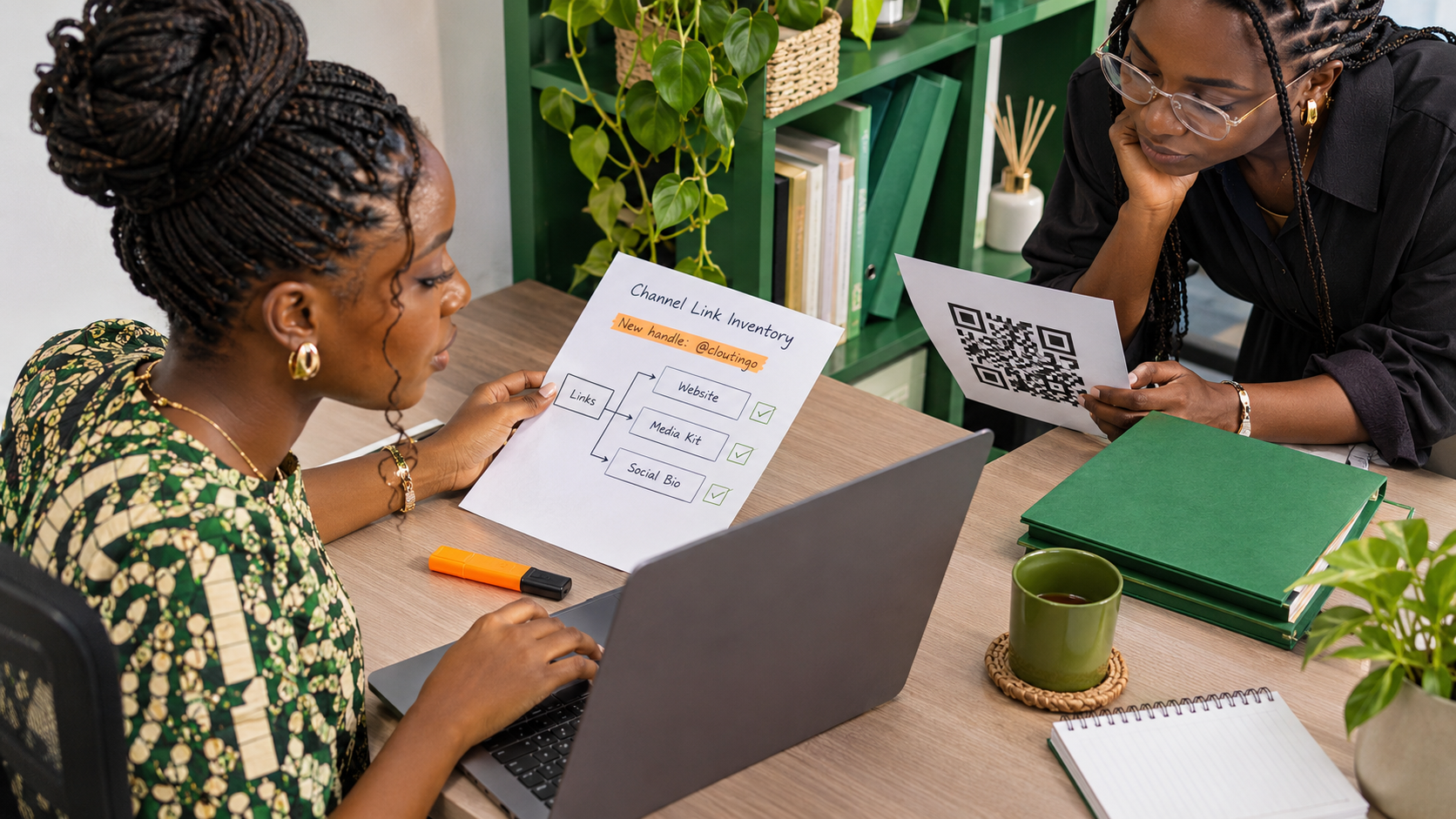
For printed QR codes, test the actual printed version. A correct digital destination does not guarantee that a small, low-contrast or damaged code will scan reliably. Keep the channel ID URL in your internal record as a stable reference even when the public campaign uses the friendlier handle URL.
Communicate a change without creating noise
If the previous handle was well known, explain the change once in a relevant place. State the old handle, the new one and the reason in one sentence. Avoid repeatedly posting the announcement when ordinary content can teach the audience the new identity naturally.
A small production team should record the approved handle in its channel identity document. That record can also show the channel name, channel ID URL, primary contact and date of the last review. This prevents a designer, editor and event host from using different versions.
Stabilise the channel identity before promotion
A clear handle makes the channel easier to identify, but it does not create demand for a video. Before promotion, make sure the public handle, channel name, artwork and content topic point to the same identity. If viewers arrive from a campaign, they should be able to tell that they reached the intended channel.
When the identity is stable, you can compare relevant options in the Cloutingo service catalogue. YouTube services differ in audience, delivery and terms. Read the individual description and current Cloutingo terms; do not treat a view, like or subscriber service as a guarantee of recommendations, watch time, revenue or loyal viewers.
Choose the handle first, publish it, and complete the link inventory. If a current Cloutingo service then fits a separate promotion goal, create a Cloutingo account and review the exact service details before ordering.