
How Nigerian Sellers Can Build a Useful WhatsApp Business Catalogue
A useful WhatsApp Business catalogue lets a Nigerian customer check what you sell before asking a question. Start with accurate product names, clear photos and country-of-origin information. Then add descriptions, prices where available, and collections that help people browse. Keep the catalogue current because an old photograph or unavailable item can make the conversation harder, not easier.
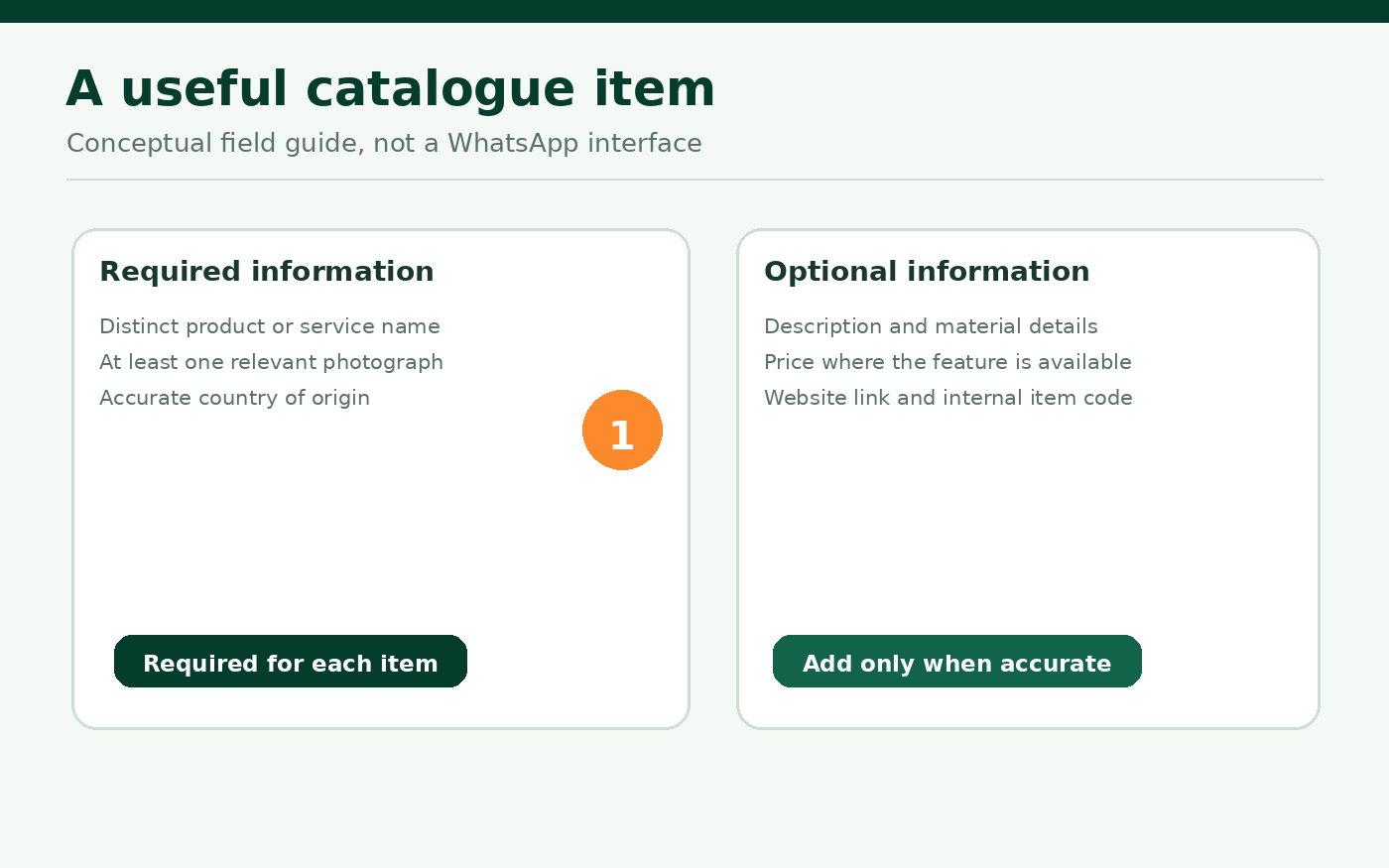
WhatsApp Business lets businesses display products and services on their business profiles. Each item needs a unique title, at least one image and a country of origin. Optional fields include a description, product code, website link and prices where the feature is supported. Items are reviewed before becoming visible to customers. A catalogue is a shop window inside a conversation, not proof that payment or fulfilment has happened.
Begin with what customers actually ask to see
Do not upload every product photograph on your phone immediately. Choose a small group of items that are currently available and easy to explain. For a hypothetical Lagos homeware seller, those might be ceramic serving bowls, woven storage baskets and table runners. The objective is to help a buyer distinguish them without sending six separate voice notes.
List the specific details a buyer needs to choose. For bowls, material, dimensions, colour variation and care instructions may matter. For baskets, size, material and whether they have a lid may matter more. Create a short item record before using the app, so you are not inventing details while customers are waiting.
Build one accurate product record
WhatsApp's current catalogue setup guidance says to open the Tools tab of the WhatsApp Business app, select Catalog, choose Add new item, and add photos or videos. Enter a product or service name and select its country of origin. Save the record, with optional details such as description, price, sale price, product code and website link.
WhatsApp currently allows up to ten photos or videos for an item in the app, but you rarely need all ten. Select only media that answers real questions: one overall view, one close-up of the texture and one photograph showing useful scale. Use truthful images of the actual item or a clearly labelled representative version. Do not use a colour or size photograph to imply that every variation is in stock.
Describe the item without making the name do all the work
A short name such as Woven storage basket, medium is more useful than Beautiful premium basket, best quality. The first helps a customer identify a product; the second is mostly opinion. Put the important distinguishing words at the beginning, especially when several products look similar in small previews.
Use the description for information that would otherwise trigger repeated questions. A hypothetical entry could read: Medium handwoven basket; removable lid; suitable for dry household storage. Confirm current colours and availability before payment. That text is an illustrative writing example, not a statement that Cloutingo or a particular seller stocks this item.
Include a code if it helps your team distinguish variants. A simple internal code can prevent confusion between two similar items, but it should not expose personal information. If the platform shows a price field, enter only a current price you are prepared to confirm. WhatsApp says catalogue pricing availability can differ by country, so do not rely on the field appearing for every account.
Use country of origin accurately
WhatsApp now asks for the country where an item was created when adding or editing it. This is not automatically the country where your business is registered, where you bought it or where the customer lives. Check the product information before selecting the value. If you source goods from different places, do not assign Nigeria to everything merely because your shop operates in Nigeria.
If the origin cannot be established, resolve the information with the maker or supplier before saving the record. Inventing an origin to complete a form can mislead buyers and lead to rework later.
Wait for catalogue review before sharing an item
WhatsApp reviews catalogue media and product details against its business and commerce policies. A new item is visible to customers only after approval. Pending or rejected entries may still appear to the seller in the management view, so do not assume that seeing an item on your own screen means a customer can open it.
If an item is rejected, inspect the reason and the applicable policy. WhatsApp provides a review-request option for some rejections. Correct inaccurate names or imagery rather than repeatedly submitting the same unsupported claim. The catalogue troubleshooting guide also covers temporary display and saving problems.
Use collections as shelves, not as adverts
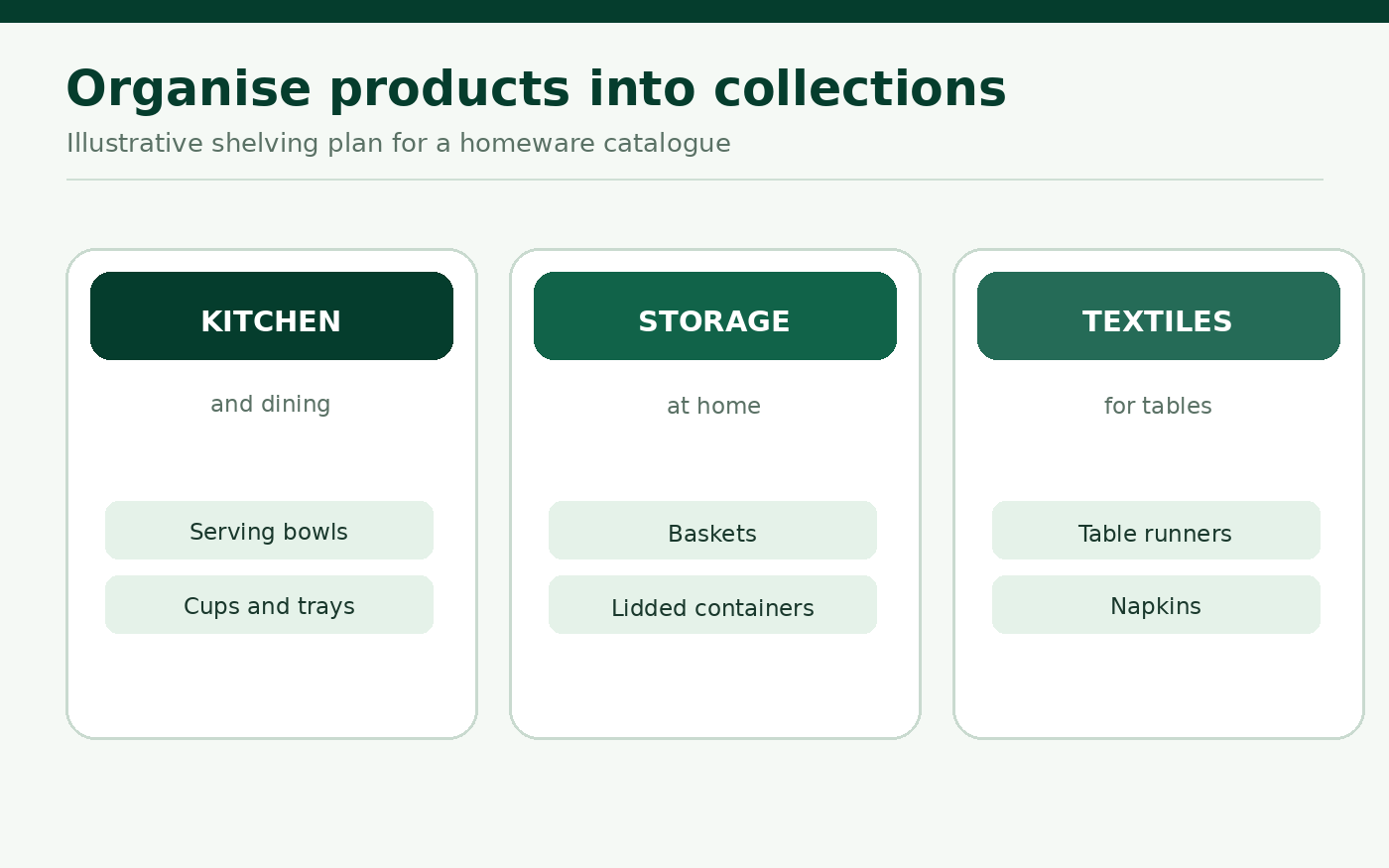
Once individual items are approved, collections can help visitors find related products. A homeware seller could use Kitchen and dining, Storage and Table textiles. These names are functional: they describe where to browse, not how amazing the products supposedly are.
WhatsApp's collection guidance explains that you must add catalogue items before organising them into collections, and collections also undergo review. Avoid a collection for every single product. Group items only where the collection saves customers meaningful effort.
Keep unavailable items out of the customer's way
Catalogue maintenance should be part of stock handling. When a product is temporarily unavailable, WhatsApp lets the business hide it without necessarily deleting the record. Hide the item if leaving it visible would create avoidable enquiries or inaccurate expectations, then unhide it when it can be supplied again.
Deleting is appropriate when the product will not return. Editing may be better when only the image, detail or available variation has changed. The important rule is to check the catalogue against current inventory, not to let last month's promotion decide what is shown today.
Understand what happens when a customer sends a cart
WhatsApp customers can browse a business's catalogue, add items to a cart and send the cart in a message. But WhatsApp's cart guidance says an order is not final until the seller confirms it. A cart message is an enquiry and a starting point for agreement, not automatic proof of payment or dispatch.
For a homeware order, reply by confirming the exact items, quantities, current availability, delivery arrangements and amount payable through your established business process. Do not publish a blanket claim that WhatsApp automatically processes payment, verifies an address or guarantees delivery in Nigeria.
Share specific catalogue items when they answer a question
A customer asking for medium storage baskets does not need the entire catalogue forwarded three times. Share the relevant item or collection from WhatsApp Business, then answer the remaining question in the conversation. WhatsApp provides catalogue and item sharing tools, including links that can be sent to customers.
Keep the message useful and requested. Do not send unsolicited catalogue links to strangers or use purchased group members as a substitute for interested buyers. Product information should stand on its own even before someone reaches the chat.
A realistic maintenance routine
Choose one person to own catalogue accuracy. After restocking or changing a price, update the affected item and verify its approval and visibility. Once a week, sample a few items as a customer would, check their images and descriptions, and compare them with what can actually be supplied. After a larger seasonal range change, review the collection names as well.
If you are also promoting an Instagram post or WhatsApp Channel update, remember that those are different destinations from the WhatsApp Business catalogue. Cloutingo provides a current social media service catalogue, but any service should be assessed for its precise platform, accepted link, audience and terms. Purchased engagement does not guarantee catalogue enquiries, orders or buyers.
Make the product information accurate first. If a separate social promotion goal fits a verified Cloutingo listing, review our terms and the sign-up page before making a decision.