
How Nigerian YouTube Creators Can Translate Video Titles and Descriptions
If you want viewers in another language to understand what your YouTube video offers, translate the title and description inside YouTube Studio. Set the original video language first, choose only languages you can review properly, and keep names, links and calls to action accurate. This changes the metadata shown to suitable viewers. It does not translate the spoken audio, captions or thumbnail text.
For a Nigerian creator, translated metadata is most useful when the video already answers a question that travels well across language borders. A clear tutorial, product demonstration, music video or documentary may benefit more than a highly local update whose meaning depends on one neighbourhood or event.
What translated YouTube metadata actually does
YouTube lets a channel add a translated title and description for a video. The platform can then use signals such as a viewer's language, location and recently watched videos to decide which language version to display. A translation can make the subject easier to recognise, but it does not guarantee that a particular viewer will see it or that the video will gain more views.
This feature is separate from captions and dubbed audio. Captions represent speech as text. Dubbing provides another audio track. A translated title and description explain the video before a person opens it. Treat those three jobs separately so that you do not assume one setting has completed the others.
Set the original video language before translating
Start with the source. In YouTube Studio, open Content, select the video, expand Show more, and review the language and caption certification setting. Choose the language that is actually spoken or primarily used in the video.
This matters because YouTube uses the original language as the source for translated subtitles and language features. If a video mixes English and Yoruba, choose the language that carries most of the meaning, then explain important code-switching to the person reviewing the translation. Do not label a video as French merely because you want French-speaking viewers to find it.
Choose the right videos and target language
Do not translate an entire channel because a language has a large global audience. Start with one or two videos that have a clear reason to travel. Useful evidence includes questions in another language, viewers arriving from a relevant country, or an existing customer group asking for the material.
A practical first choice might be an English tutorial from a Nigerian software trainer whose customers in francophone West Africa keep asking for a French explanation. That is a stronger case than translating a Lagos event announcement after the event has passed.
Before writing, prepare a short translation brief:
| Brief item | What to record |
|---|---|
| Audience | Country, language and what the viewer needs |
| Core promise | The honest result the video helps the viewer achieve |
| Protected terms | Brand names, product names, places and people |
| Links | The destination and the words around each link |
| Action | What the viewer should do after watching |
Translate the meaning, not a row of keywords
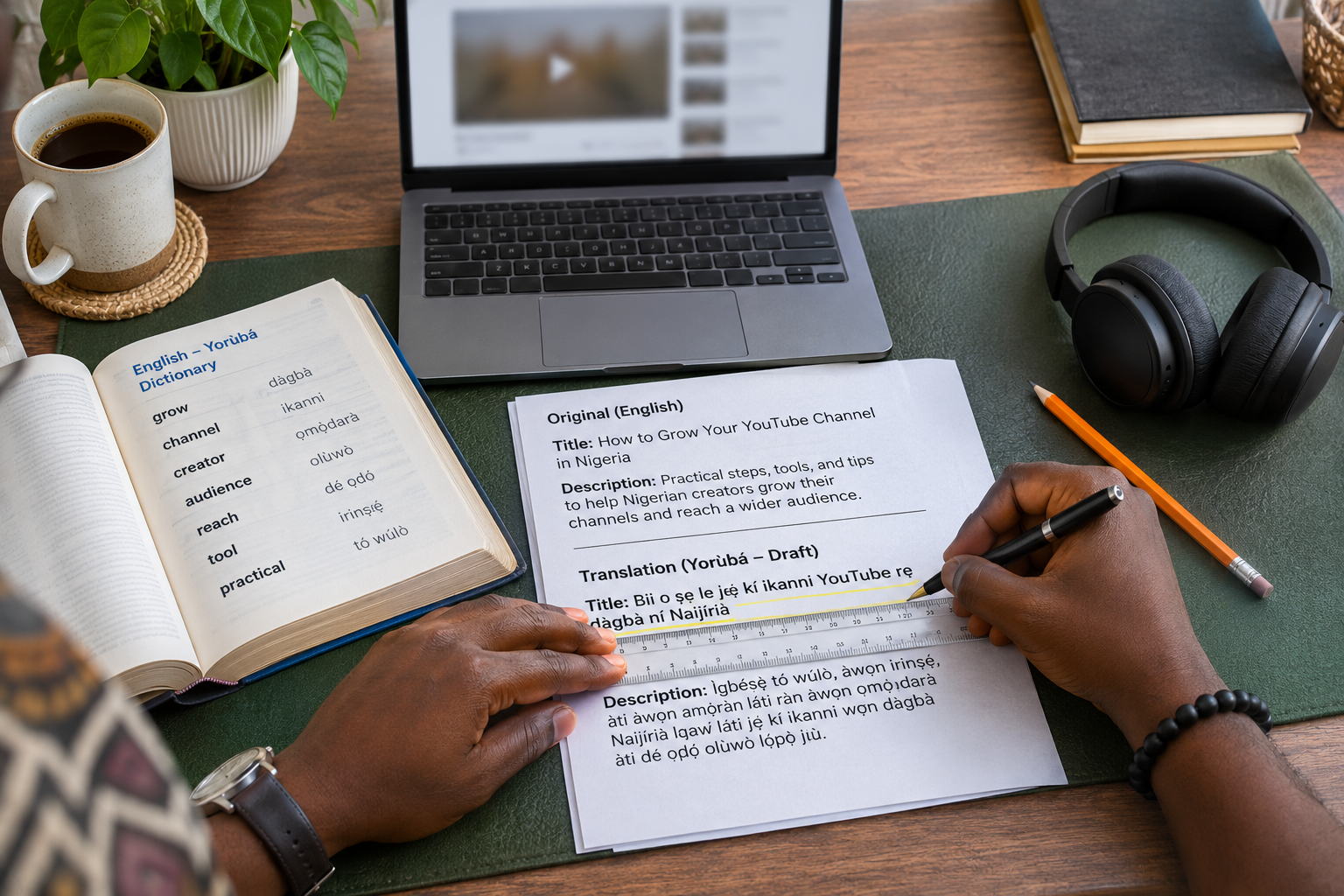
A strong translated title sounds natural in the target language and makes the same promise as the source. It should not become more dramatic, more certain or more commercial than the original. If the English title says “How I organise a small fashion shoot”, the translation should not claim “The secret that guarantees fashion sales”.
The description needs more than word replacement. Preserve the order of useful information. Check measurements, dates, phone formats, currencies and place names. If a link leads to an English-only page, say so when that limitation would affect the viewer. Keep hashtags only when they are relevant in the target language.
Use a fluent reviewer when the translation affects a sale, professional reputation or safety. Machine translation can help produce a first draft, but a person should check tone and local meaning. Ask the reviewer to read the title and first two description lines together, because those lines often carry the decision to open the video.
Add the translated title and description in YouTube Studio
YouTube's current help instructions use this path:
- Sign in to YouTube Studio.
- Choose Subtitles from the left menu.
- Select the video.
- Click Add language and choose the target language.
- Under Title and description, click Add.
- Enter the translated title and description, then click Publish.
Interface labels can change, so use the current YouTube Help instructions for translated titles and descriptions if your Studio view differs.
Review the published version like a viewer
After publishing, do not stop at the saved confirmation. Open the video outside your signed-in creator session. Test the target language where possible and ask a reviewer in the intended audience to check what appears. YouTube may show a different language version because matching depends on viewer signals, so record the account language and test conditions rather than assuming the feature is broken.
Review these details carefully:
- the title makes the same promise as the source;
- the first two lines explain the correct video;
- proper names are spelled consistently;
- every link opens the intended destination;
- dates, currency and contact details are current; and
- the call to action is possible for that audience.

Maintain translations when the source changes
A translated description can become inaccurate after you update the English version. Keep a simple record of the video URL, original language, translated languages, reviewer and last review date. Recheck the translations whenever you change an offer, contact method, chapter reference, product name or destination link.
If you cannot maintain a language version, remove or update the outdated claims instead of leaving a polished but misleading description online. Localisation is an editorial responsibility, not a one-time upload task.
Use promotion only after the video is ready
Translated metadata helps a viewer understand the video. It does not replace a useful video, accurate thumbnail or suitable distribution plan. Once the video and language versions are correct, you can consider promotion based on the audience you genuinely want to reach.
Cloutingo provides social media promotion services for platforms including YouTube. Review each service description before ordering because audience, delivery and conditions differ. Our terms also explain the customer's responsibility to use services in line with platform rules. If the option fits your campaign, you can create a Cloutingo account and track the order from the panel.
Start with one well-chosen video, one justified target language and one careful review. That small test will teach you more than publishing many unchecked translations at once.