
How Nigerian Tutors Can Teach One Concept With Instagram Carousels
An Instagram carousel lesson should teach one idea in a sequence people can follow by swiping. Start with a clear learning question, introduce only the information needed, give a worked example, invite a small practice attempt and finish with the answer or next learning step. A long carousel is not automatically a better lesson. It works when each slide helps the reader understand the next one.
For a Nigerian tutor or educational creator, this format is useful when a concept needs visual steps but not a full lecture. Instagram supports posts containing several photos or videos together. Plan the lesson as one coherent post, rather than recycling unrelated classroom slides simply because they are already available.
Choose a question that can be taught in one swipe sequence
Pick a question with a defined learning outcome. What is grammar? is too large. How can I identify the verb in a short sentence? is narrow enough for a short, self-contained example. The reader should know what they will be able to do by the final slide.
Write the answer before designing anything. Then ask what a beginner would need to know to reach it. If your explanation needs five unfamiliar terms, the question may be too broad. Split the topic into future lessons rather than shrinking the text until it is unreadable.
Plan a short instructional arc
A six-slide format is an editorial choice, not an Instagram requirement. It gives enough space to explain one idea without asking someone to work through an entire workbook on a phone.
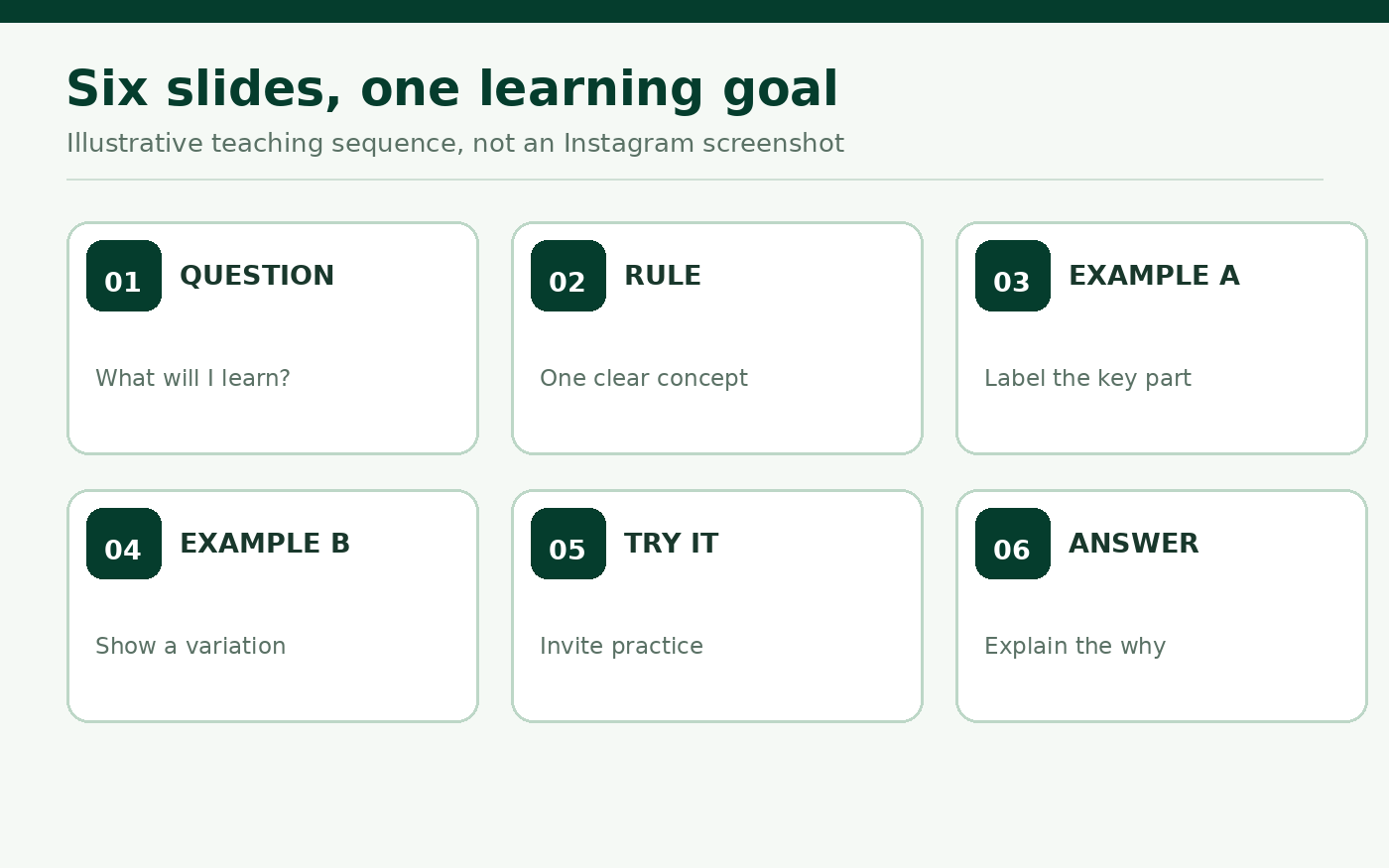
- Slide 1: The question. State what the viewer will learn in everyday language.
- Slide 2: The rule. Explain the idea in one accurate sentence.
- Slide 3: A labelled example. Show how the rule works.
- Slide 4: A second example. Change one feature so the learner can see what stays the same.
- Slide 5: Try it. Give a short practice question without immediately showing the answer.
- Slide 6: Answer and explanation. Reveal the answer and why it fits.
That structure is one option. A process demonstration may require photographs instead of definition slides. A diagram-heavy subject may need fewer, larger illustrations. Use the content to choose the format, not the other way round.
Work through one Nigerian classroom example
Suppose a Lagos English tutor is helping junior secondary pupils recognise verbs. The opening asks: Which word tells us what someone does? The next slide introduces the working rule: a verb can express an action or state. In the sentence Ada carries a bag, the tutor highlights carries and explains the action.
The second example could be The classroom is quiet, where is links the subject to a description. This matters because telling pupils that every verb is a visible action would give them an incomplete rule. The practice slide then asks for the verb in The birds are noisy. The closing slide identifies are and explains its function.
These are illustrative teaching sentences, not a claim about a particular school's curriculum or examination questions. The value comes from showing why the answer is correct, not from hiding it behind a comment request.
Write for the phone screen
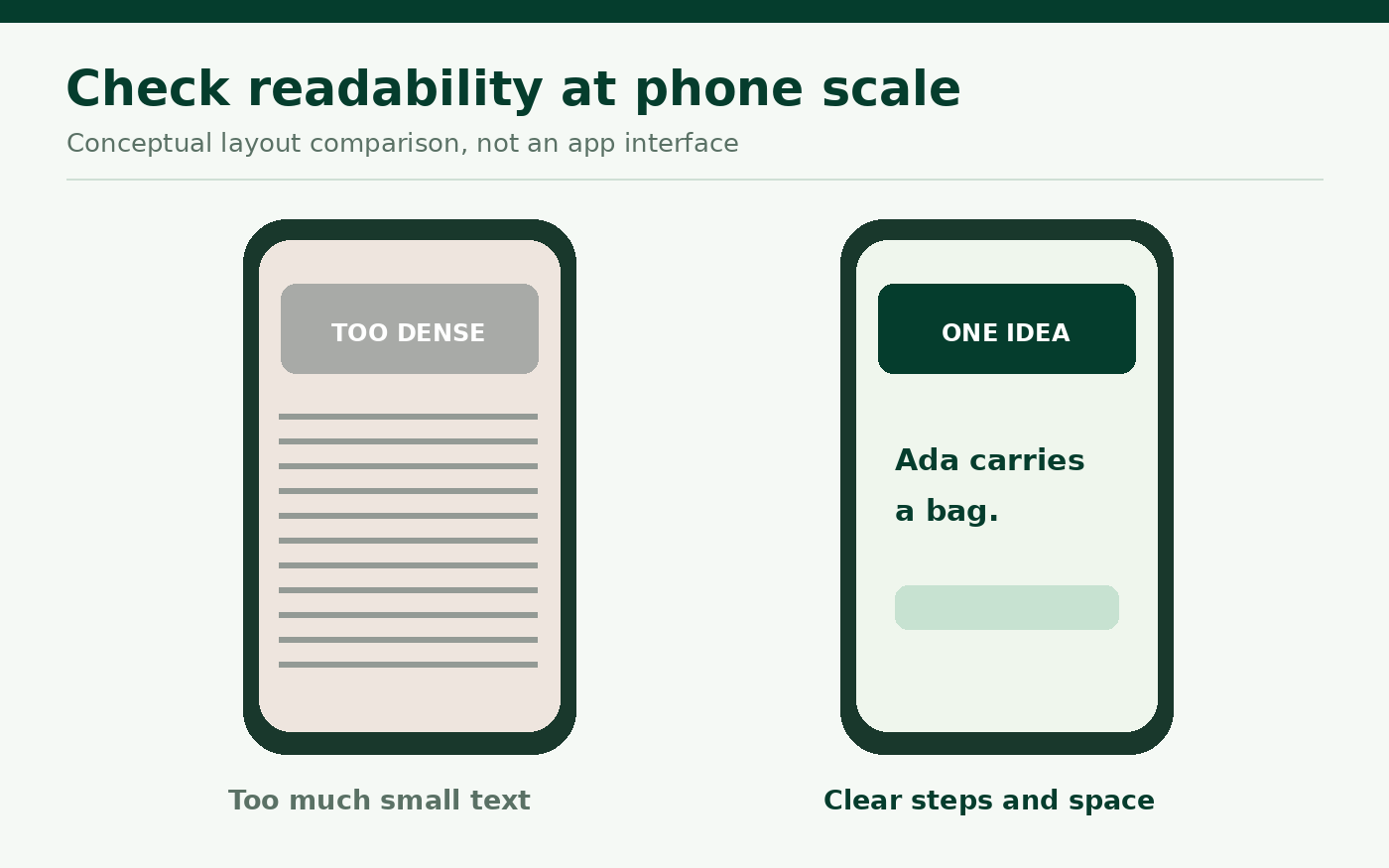
Educational carousels fail when a textbook paragraph is squeezed into a single frame. Use one main sentence or idea per slide. Keep a strong contrast between text and background, leave breathing room near the edges, and test the actual slide at the size it will appear on a phone. Do not assume that a slide readable on a large laptop will be readable in the Instagram feed.
Keep the same position for repeated elements such as slide numbers and section labels. When a word is highlighted, use colour and another cue such as boldness or an underline. That prevents the teaching point from depending only on colour perception.
Instagram has changed carousel editing features over time, as described in Meta's creator tools update. Rather than rely on a permanent crop assumption, export a consistent set of frames and inspect the crop preview in the current app before publishing.
Make the first and last slides do different jobs
The first slide gives a reason to begin. It should not promise secret tricks or a guaranteed examination grade. A useful headline might be Find the verb in this sentence, followed by a small example. The last slide completes the lesson. It should not withhold the answer merely to force someone into a direct message.
You can invite a learner to practise with one new sentence in the comments if that is appropriate for your audience, but make sure the complete lesson is still available within the carousel. The post should remain useful to someone who cannot or does not want to comment.
Use the caption for context, not a second textbook
A caption can identify the audience, repeat the learning objective and add one short application. For example: For beginners learning parts of speech. Swipe to see two examples, then try the sentence on slide five before checking the explanation. Avoid repeating every slide word for word.
If a concept relies on a source or curriculum document, link or name it accurately where appropriate. Do not imply a carousel is officially approved by an examination body merely because its subject appears in a syllabus. Review factual examples with a qualified subject editor before publishing.
Check the sequence after export
Before uploading, open the six exported images in order. Ask a colleague to read them without a spoken explanation. They should be able to identify the lesson question, follow both examples and understand the answer. If they cannot, fix the slide content instead of writing a longer promotional caption.
When creating a multi-photo post in Instagram, choose the photos in the correct order and verify the sequence before sharing. Meta's carousel announcement confirms that feed carousels can hold multiple photos, while the exact media limit and editing controls should be checked in the current app. Do not invent screenshots or depend on an old interface label.
Review learning signals without pretending to measure learning
Post interactions can suggest whether the format is useful, but views and saves do not prove that someone mastered a concept. Look for the kinds of questions pupils ask and whether they can explain the answer in their own words. If many replies repeat the same misunderstanding, make a separate follow-up lesson addressing that misunderstanding.
Do not claim that a carousel gets a guaranteed algorithm boost. Meta offers an Instagram Best Practices area with evolving guidance on creation, engagement and reach, but the right teaching length depends on the idea and the learners.
Promote a complete lesson, not an unfinished sequence
Cloutingo lists several Instagram-related services, but paid engagement cannot correct an inaccurate example or prove that followers are genuine students. If you consider a service after publishing, check the accepted destination, audience description and individual conditions. Instagram also has rules affecting artificial engagement, so platform compliance must be part of the decision.
Our terms ask customers to review service descriptions and comply with the relevant social network. Finish the educational content first. Then, only if a legitimate promotion goal fits an available listing, visit Cloutingo sign-up to review the current options.