
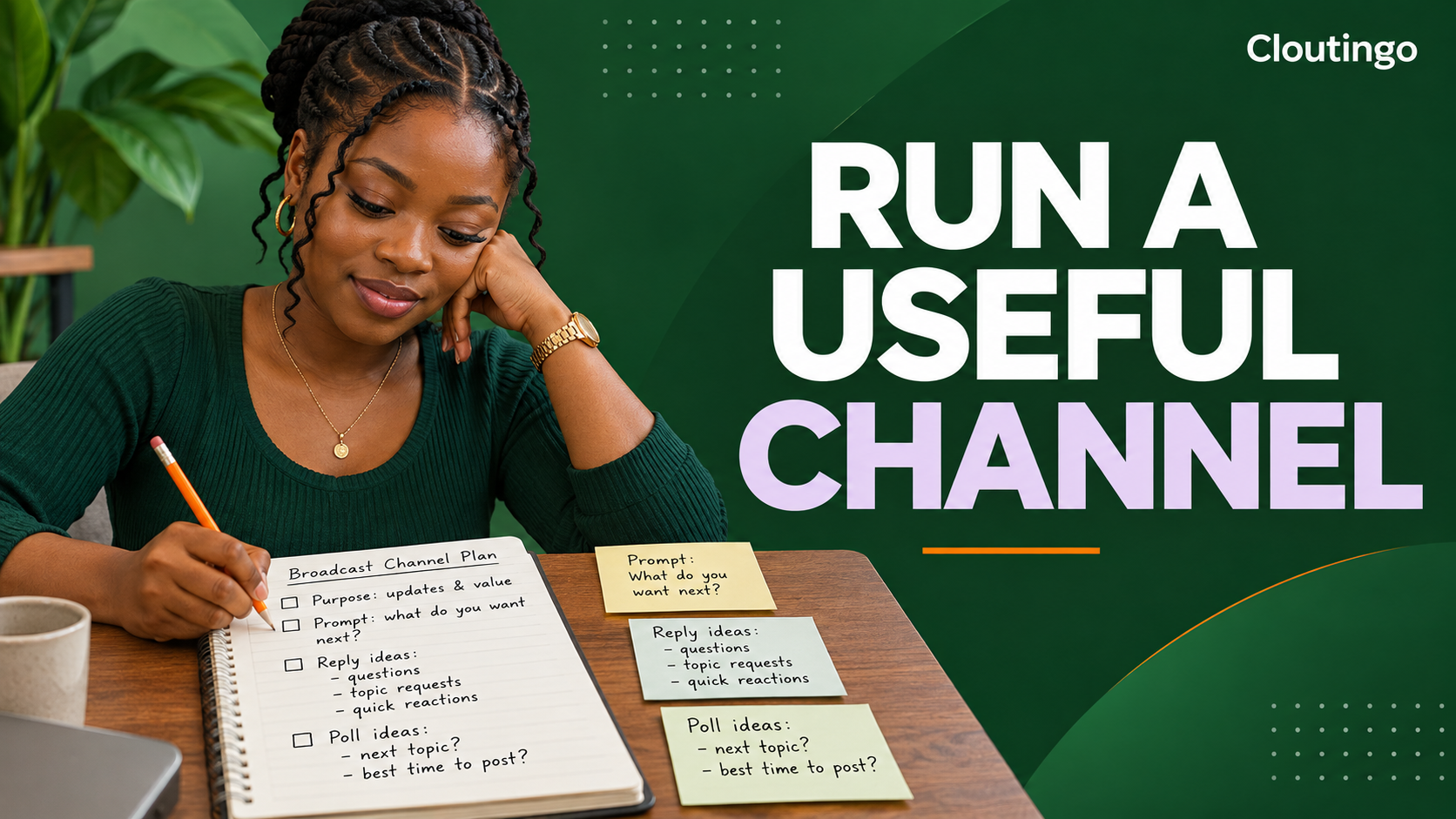
How Nigerian Creators Can Run a Useful Instagram Broadcast Channel
An Instagram broadcast channel works best when it has one clear purpose and a predictable reason for followers to return. Nigerian creators can use a channel for public updates, behind-the-scenes material, polls, prompts and organised replies. It should not become a stream of repeated adverts or a replacement for private customer support.
Broadcast channels are public and discoverable. Followers choose whether to join, mute or leave. Plan every message with that context in mind, especially when discussing customers, collaborations or unfinished work.
Define the channel promise
Write one sentence that explains what members will receive. Useful promises are specific enough to guide posting but broad enough to sustain:
- weekly studio updates and early previews from a musician;
- new lesson alerts and short study prompts from an educator;
- behind-the-scenes production notes from a filmmaker;
- launch updates and product-care tips from a creator-led shop.
Avoid promising “exclusive value every day” when there is no realistic daily plan. Frequency is less important than usefulness and consistency.
Understand how membership works
Meta describes broadcast channels as a public one-to-many messaging tool. Creators can share text, photos, videos, voice notes and polls. Followers can discover a channel, but only followers who join receive its channel notifications according to their settings.
Instagram sends followers a one-time invitation notification when a creator starts a channel. Members can later change notifications, mute the channel or leave. Treat attention as permission that can be withdrawn, not as guaranteed reach.
Build a repeatable message rhythm
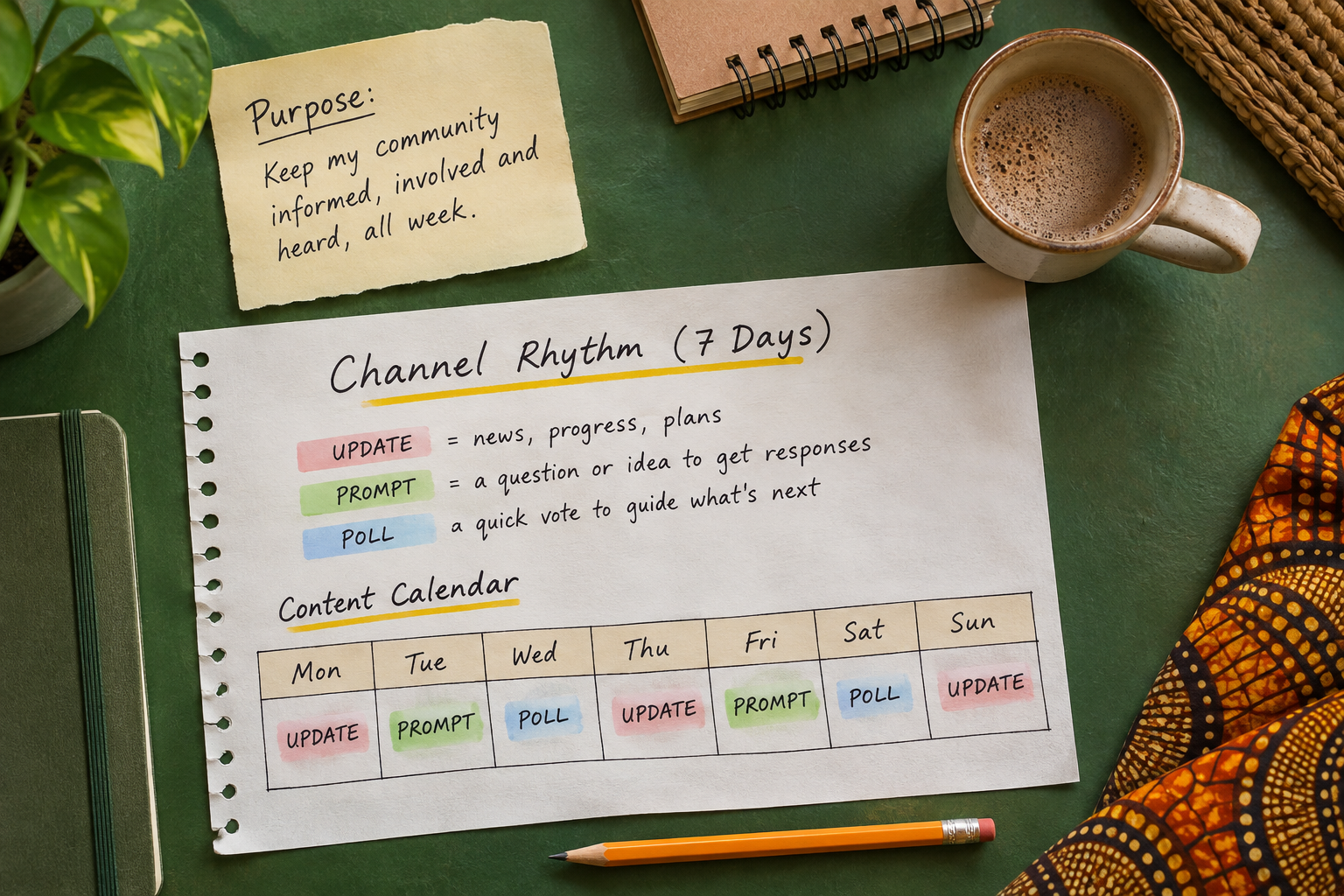
Use a small number of recurring message types rather than posting everything that happens:
- Update: report progress, announce a confirmed release or share useful context.
- Prompt: invite members to contribute an idea, preference or experience.
- Poll: offer a focused choice that can inform a real decision.
- Behind the scenes: show a process detail that is understandable without private information.
For an illustrative rhythm, a Nigerian music creator might share a studio update on Monday, a prompt about favourite acoustic instruments on Wednesday and a poll between two cover-art directions on Friday. The poll should inform a decision the creator is genuinely willing to make.
Use prompts for bounded participation
Meta says channel prompts can collect text or photo responses for up to 24 hours, and members can like responses. To create one, open the channel, tap the plus control and choose Prompt.
A good prompt is easy to answer and connected to the channel's purpose. “Show the notebook you use for songwriting” gives music followers a clearer task than “Tell me anything.” Do not request addresses, order references, payment evidence or other private details in a public prompt.
Turn on replies deliberately
Replies allow members to respond beneath a creator's channel message and to one another. Meta says the replies remain nested under the original message, which helps keep each discussion connected to its topic.
To enable the feature, open the channel name, enter Channel controls and turn on Allow members to reply to messages. Availability and labels can change, so compare the current app with Meta's latest guidance.
Do not enable replies without deciding who will review them. A fast-growing channel can produce more discussion than one creator can reasonably monitor.
Moderate replies without flattening the conversation
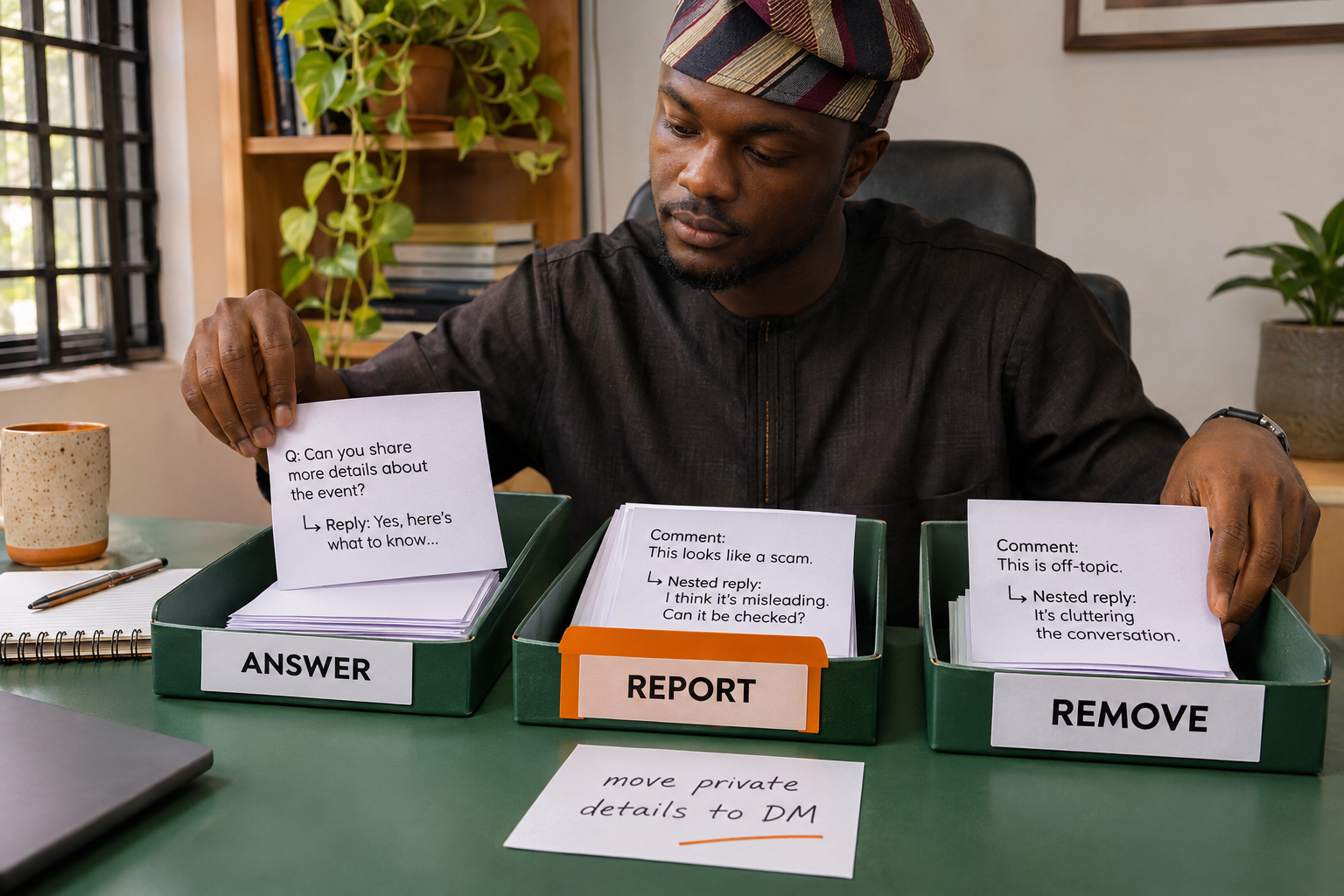
Not every disagreement is abuse. Keep relevant questions, corrections and respectful criticism when they contribute to the discussion. Remove or report material that violates the applicable rules, exposes private information, impersonates someone or creates a credible safety concern.
Meta says creators can delete or report replies. Use those tools consistently. Keep a short internal rule for what the team answers, what it removes and what it reports. If a member posts a private order issue, direct the person to the normal private support route rather than asking for more details in the channel.
Use polls only when the result can matter
A poll is useful when the options are clear and the creator can act on the outcome. Ask about the next tutorial topic, a preferred live-session time or which completed design should be shown first. Avoid polls that pretend to offer control over a decision already made.
When the poll closes, report what happens next. Members are more likely to take future polls seriously when they can see how a response influenced the work.
Read insights as directional evidence
Meta's broadcast-channel updates include metrics such as total interactions, story shares and poll votes. These can help you compare message types, but they do not prove that a topic will sell, go viral or work on every other platform.
Review a small set of questions each month:
- Which updates earned useful replies rather than only quick reactions?
- Which prompts attracted relevant member contributions?
- Did members share a message to Stories?
- Which repeated post type should be improved, reduced or stopped?
Compare similar messages where possible. A release announcement and a casual studio photograph serve different purposes, so their interaction totals should not be treated as a direct contest.
Avoid notification fatigue
Members control their notification settings and can mute or leave. Combine minor points into one useful update instead of sending several short messages within minutes. Use urgent language only for something genuinely time-sensitive and verified.
Do not copy every feed caption into the channel. A channel message should add context, access or participation that the public post does not already provide.
Protect unfinished and commercial information
A broadcast channel is not a confidential workspace. Do not share contract terms, unreleased client files, private contact details or passwords. Confirm permissions before showing collaborators, children, customers or private locations.
If a brand agreement controls when information may be announced, follow that agreement. “Behind the scenes” should still be accurate, authorised and safe to make public.
Connect promotion to a useful public channel
Cloutingo's current catalogue includes Instagram services, including a channel-members category, but individual listings differ in audience, delivery and terms. Purchased channel members cannot replace useful messages, genuine replies or responsible moderation, and they do not guarantee reach or retention.
Once the channel has a clear promise and several useful public messages, review the current choices on the Cloutingo services page. Read the exact listing and the current terms before ordering. If a suitable option is available for the intended channel, use the verified Cloutingo sign-up page. Build the reason to stay before paying to attract more attention.