

How Nigerian YouTube Creators Should Disclose Altered or Synthetic Content
Nigerian YouTube creators should disclose altered or synthetic content when it uses artificial intelligence or another editing method to make a realistic person, place, event or scene appear genuine when it is not. You do not need the disclosure for ordinary colour correction, captions, script assistance or clearly fantastical material. The practical question is not simply whether AI touched the project. It is whether a viewer could reasonably mistake the altered result for reality.
YouTube provides an AI use field during upload. A careful production team should decide how to answer it before the final export, record the reason and keep the declaration consistent with the finished video.
Use a three-part disclosure test
Review the final video, not only the prompt or source file. Ask three questions:
- Is the element meaningfully altered or generated? A substantial change matters more than routine polishing.
- Does it look or sound realistic? A clearly animated fantasy scene is different from a believable news-style clip.
- Could it change what viewers believe happened? Pay close attention to real people, real places and events presented as factual.
If the answer is yes across these questions, disclose it. If the case is uncertain, pause the upload and review YouTube's current examples. Do not hide a meaningful alteration because only a few seconds of the video contain it.
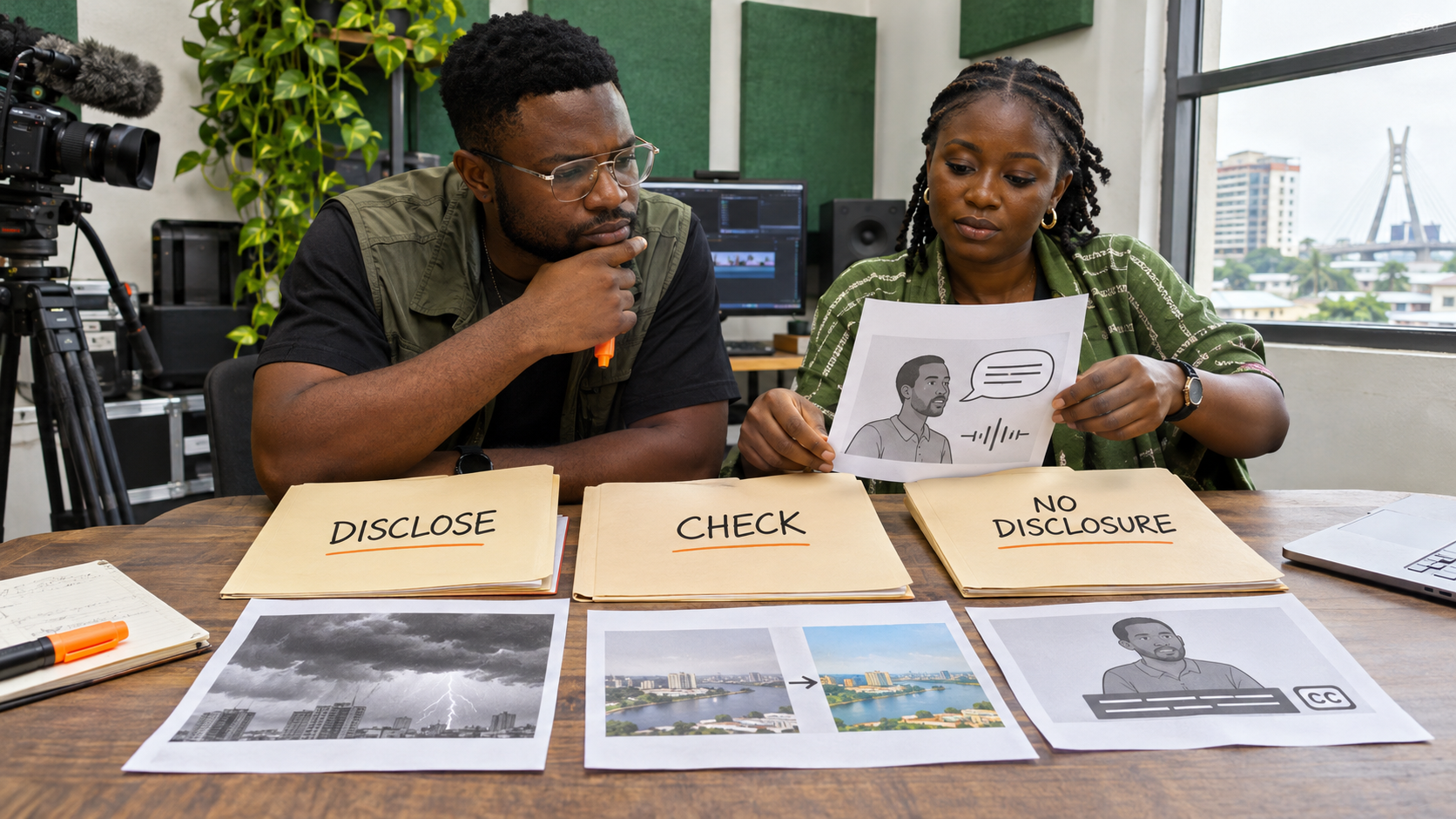
Disclose changes involving a real person
A disclosure is required when editing makes a real person appear to say or do something they did not say or do. Examples include a realistic cloned voice delivering new words, a face replacement that presents a false action, or a fabricated interview answer.
Consent is a separate issue. Permission from the person does not automatically remove the need to tell viewers that the result was altered. The disclosure explains how the video was made. Permission governs whether you were authorised to use the person's identity or material.
For a hypothetical Nollywood commentary channel, using an actor's real interview clip with trimming and subtitles would not normally trigger this rule by itself. Generating a new realistic sentence in that actor's voice would be a meaningful alteration and should be disclosed.
Disclose altered real places and events
Viewers may treat realistic footage of a recognisable place or event as evidence. YouTube's examples include changing footage of a real event or location. A creator who adds a realistic flood to a Lagos street, creates a believable fire at an actual venue, or changes a public gathering to show an incident that did not occur should disclose the alteration.
Context in narration is helpful, but it does not replace the upload declaration. A short on-screen explanation can also reduce confusion, especially when the altered scene is central to the story.
Disclose realistic scenes that never occurred
A fully generated scene can require disclosure even when it does not copy existing footage. The key is realism. A believable hospital incident, arrest, weather emergency or public statement may be mistaken for a recording of an actual event.
YouTube's current help page also lists AI-generated music among examples that need disclosure. Music creators should check the latest platform wording for the finished upload rather than assuming that audio falls outside the rule.
Know what usually does not need disclosure
YouTube distinguishes meaningful realistic alterations from minor edits, production assistance and non-realistic content. Its current examples of changes that generally do not need the disclosure include:
- colour, lighting and beauty adjustments that do not change what happened;
- background blur, vintage effects and similar aesthetic filters;
- caption creation, video repair, sharpening and upscaling;
- idea generation, outlines, scripts, titles and thumbnails;
- clearly fantastical or animated scenes that viewers would not mistake for reality;
- cloning your own voice for a voice-over or dub, according to YouTube's current examples.
This is not permission to describe a misleading edit as minor. If an aesthetic change removes important evidence, changes a person's meaning or creates a false event, return to the three-part test.
Complete the disclosure in YouTube Studio
On a computer or mobile device, start the normal upload in YouTube Studio. In the video details, find the Attributes section and the AI use question. Select Yes when the final video meets the disclosure requirements, or No when it does not. Then continue with the other video details.
Interface labels can change. If the control is missing or unclear, use YouTube's current help article rather than copying an old screenshot from another creator.
Understand what viewers may see
When a creator discloses realistic altered or generated material, YouTube may show information in the video player or expanded description. YouTube's May 2026 update says the label is more prominent for Shorts and long-form video. The exact placement can vary with the type of content and the platform's current implementation.
YouTube says the disclosure label by itself does not limit the audience, affect recommendation eligibility or remove monetisation eligibility. That statement does not guarantee performance or revenue. Other policies, rights issues and audience response still apply to the video.
Expect automatic labels in some cases
A manual declaration is not the only route to a label. YouTube may apply one when content uses its own generative tools, includes supported Content Credentials data or is detected or reviewed as altered. Some automatically applied labels can be changed through the disclosure survey, while labels tied to YouTube tools, verified metadata or manual review may not be removable.
Do not strip provenance information merely to avoid transparency. Keep source files, licences, consent records and a note of the tools used. These records help the editor answer questions later without guessing.
Build a final review into production
Add a short disclosure review to the export checklist. One person should identify every generated or materially altered segment. Another should compare those segments with the three-part test. Record the final answer, the reviewer and the date.
For a team project, use a table with four columns: timecode, altered element, realism risk and disclosure decision. The table is internal. It should be specific enough for a new editor to understand why the team chose Yes or No.
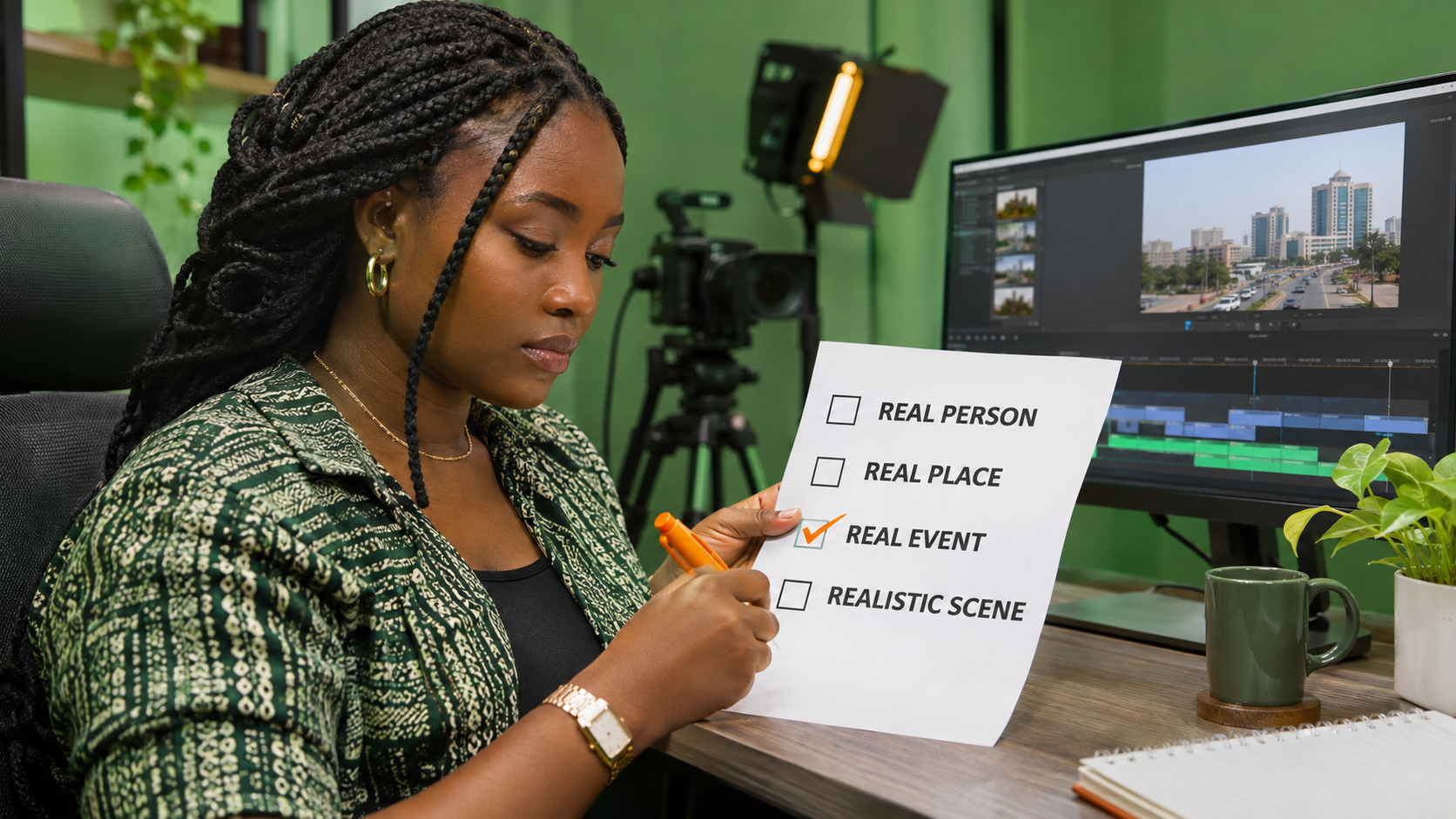
Correct mistakes instead of ignoring them
If you discover that a realistic alteration was not disclosed, open the video's details and review the AI use setting. YouTube warns that repeated failure to disclose may lead to an applied label or penalties, including content removal or suspension from the YouTube Partner Program.
A disclosure does not excuse deception, impersonation, copyright infringement or another policy breach. It adds context for viewers. The underlying content must still follow YouTube's rules and applicable law.
Promote only after the video is accurately described
Promotion cannot repair a misleading upload. Finish the disclosure decision, title, description and rights review first. If the public video is ready and you want to compare available YouTube promotion options, use the current Cloutingo services page. Individual services differ in audience, delivery and conditions, so read the exact listing and the current Cloutingo terms before ordering.
Cloutingo services do not guarantee recommendations, watch time, monetisation or viewer trust. If a suitable option matches the campaign goal, use the verified Cloutingo sign-up page. Accurate disclosure should remain part of the video no matter how it is promoted.