
How Nigerian TikTok Creators Can Control Duets Without Losing Collaboration
Nigerian TikTok creators can control Duets at two levels: choose who may reuse videos from the account, then turn reuse on or off for each post. A public account is required if you want other people to Duet your videos. The best setting depends on the purpose of the original post, not on a rule that every video should be open or closed.
Duet places another creator's video beside yours in a split screen. That can support dance responses, demonstrations, reactions and teaching. It also means another account controls the privacy and interaction settings on its own Duet post.
Decide what participation you want
Start with the creative outcome. Allowing Duets makes sense when another person can add something useful beside the original. Examples include completing a harmony, answering a question, copying a movement safely, showing a second method or reacting with informed commentary.
Pause reuse when the post contains a sensitive personal story, a child who should not become a remix subject, licensed material with restricted use, an unfinished brand announcement or visual information that could be easily separated from its context.
This decision is not a judgement on the quality of the video. A strong post may still be unsuitable for reuse.
Choose the account-level audience
In TikTok, open Profile, tap the menu button, then select Settings and privacy. Go to Privacy, open Reuse of content, then choose Allow reuse of content from.
TikTok's current help page lists two main choices for eligible public accounts:
- Everyone: any eligible person can Duet a video when reuse is turned on for that post.
- Friends: only followers you follow back can Duet when reuse is on.
If the account is private, other people cannot Duet your videos. Teen accounts have additional age-based privacy rules, so younger creators and their guardians should use TikTok's current teen-safety guidance rather than relying on an adult account's menu.
Understand the wider reuse switch
The setting is now described as Allow reuse of content, not only as a Duet switch. TikTok says turning it off can also affect Stitch, stickers made from the post and adding the post to Stories. Before changing it, check whether another part of a campaign depends on one of those reuse formats.
For example, a fashion creator may want Duets for styling responses but may not want a launch teaser reused before the reveal. Different posts can carry different settings.
Set reuse before publishing
When preparing a new post, continue to the Post screen, open More options and turn Allow reuse of content on or off. Confirm the choice before publishing. A collaborator should not be asked to prepare a Duet until the original post is public and reuse is actually available.
Include the permission decision in the post brief. That prevents a social media manager from enabling reuse by habit after the creator has approved a closed post.
Change the setting for an existing video
Open the video, tap More options, then open Privacy settings. Scroll if necessary and change Allow reuse of content. TikTok notes that menu labels and placement can vary, so use the current app and official help page together.
Turning reuse off stops new Duets. It does not give you ownership of another creator's separate response or automatically resolve a dispute about an existing Duet.
Design the original video for a useful Duet
A Duet-ready post needs a visible role for the second creator. Build that role into the framing and timing:
- leave one side of the frame visually simple;
- pause after a question so a response can fit;
- use a count-in for dance, music or exercise demonstrations;
- state the task in plain language;
- show the safe starting position when movement is involved;
- avoid tiny on-screen text that becomes unreadable in split screen.
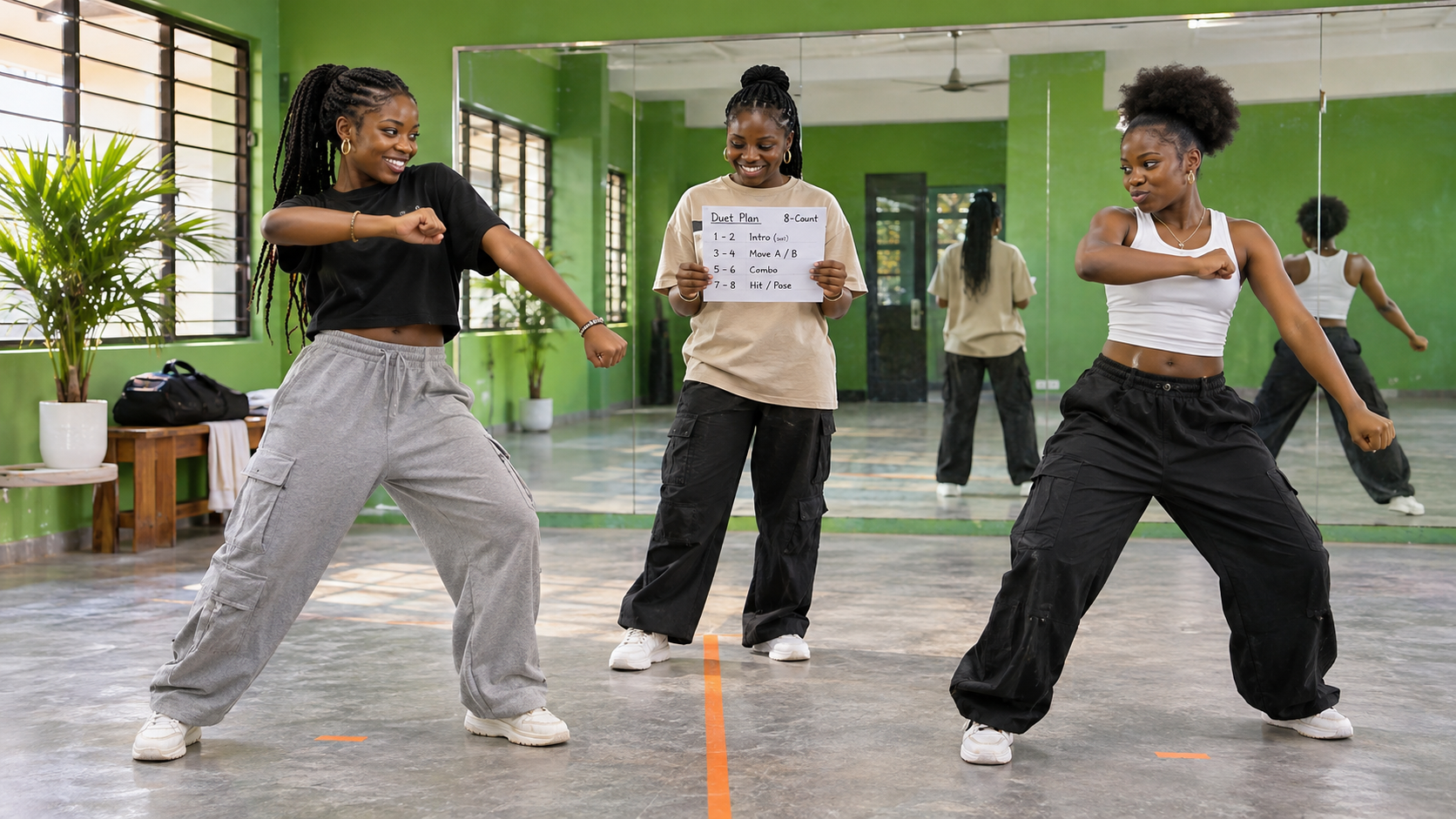
A hypothetical Lagos dance teacher could demonstrate the first four counts, leave the next four open and invite another dancer to complete the phrase. That is clearer than saying “Duet this” with no creative direction.
Brief invited collaborators properly
If you are inviting specific people, send a short creative brief before the original post goes live. Include the proposed publication window, the exact prompt, any words or claims that must be avoided, music rights information and whether each creator can repost the result elsewhere.
Do not treat an open reuse setting as a private contract. It enables a platform feature. Paid collaborations, endorsements and brand work still need clear approval and disclosure arrangements between the parties.
Remember who controls the response post
TikTok explains that the Duet appears on the profile of the person who made it, while the original stays on your profile. The responding creator's settings determine who can watch, comment on, download or interact with that Duet.
This is why your review should focus on whether the original provides enough context on its own. Do not place a private phone number, customer record or confidential instruction in the source video because you expect only familiar collaborators to respond.
Manage associated Duets with care
TikTok provides a Reuse of content history area under Privacy, and also exposes it through Activity centre. You can use it to see associated reuse posts. If one Duet violates privacy rights or Community Guidelines, use the appropriate reporting route for that individual post.
The option to remove all associated posts has serious consequences. TikTok says it permanently removes the original video and all associated Duet and Stitch videos. If there are more than ten related posts, TikTok may ask you to verify the account. Download a copy of your original first if you need to keep it, then confirm that permanent removal is truly the intended outcome.

Review outcomes without chasing every response
Decide what success means before opening reuse. A dance prompt may need a small number of accurate interpretations. An educator may value thoughtful explanations more than a high response count. A musician may be looking for harmonies that can be featured with permission.
Keep a simple review note with the original post, the intended contribution, examples worth acknowledging and any safety issue. Do not promise that allowing Duets will create reach, sales or viral distribution.
Promote the original after permissions are clear
If the original is public, correctly framed and ready for the chosen reuse setting, you can compare TikTok options on the Cloutingo services page. The live catalogue includes categories such as TikTok views, likes, followers, comments and shares, but each listing has its own audience, delivery and terms.
Purchased engagement cannot make people create good Duets, cannot guarantee distribution and does not replace collaboration planning. Read the exact service description and the current Cloutingo terms. If an available service fits the original video's goal, continue through the verified Cloutingo sign-up page. Keep reuse permissions under the creator's control throughout the campaign.