

How Nigerian YouTube Creators Can Add a Related Video to a Short
A related video gives a YouTube Short a clickable path to another Video, Short or Live upload on the same channel. Choose a destination that completes the promise made by the Short, confirm that your channel has advanced feature access, then add the destination in YouTube Studio after uploading the Short. Test the link from a viewer account before promoting it.
This feature is useful when a short explanation creates genuine interest in a longer lesson, demonstration, interview or replay. It should not be used to send every Short to the same popular video regardless of context.
Understand what the related-video link does
YouTube says a related video can showcase one of your channel's Videos, Shorts or Live uploads in the Shorts player. Viewers see a clickable link below the channel handle. This is different from typing a web address into a Shorts description or comment. YouTube's link guidance says URLs in Shorts descriptions and comments are not clickable, while the Related Video link is clickable.
The destination stays inside YouTube and must come from your channel. Think of it as the next chapter of the viewer's journey, not a general external call to action.
Choose the destination before editing the Short
Start with the promise of the Short. Write one sentence describing what the viewer learned and one sentence describing the next useful question. The related video should answer that next question with minimal repetition.
| Short's role | Useful destination | Check before linking |
|---|---|---|
| Shows one step from a process | Full tutorial | The full video contains the promised step and a clear sequence |
| Answers an introductory question | Next lesson | A new viewer can understand it without missing earlier context |
| Highlights a strong moment | Full interview or Live replay | The highlighted moment is easy to find and accurately represented |
| Introduces a series | Series starting point | The title and opening make the sequence obvious |
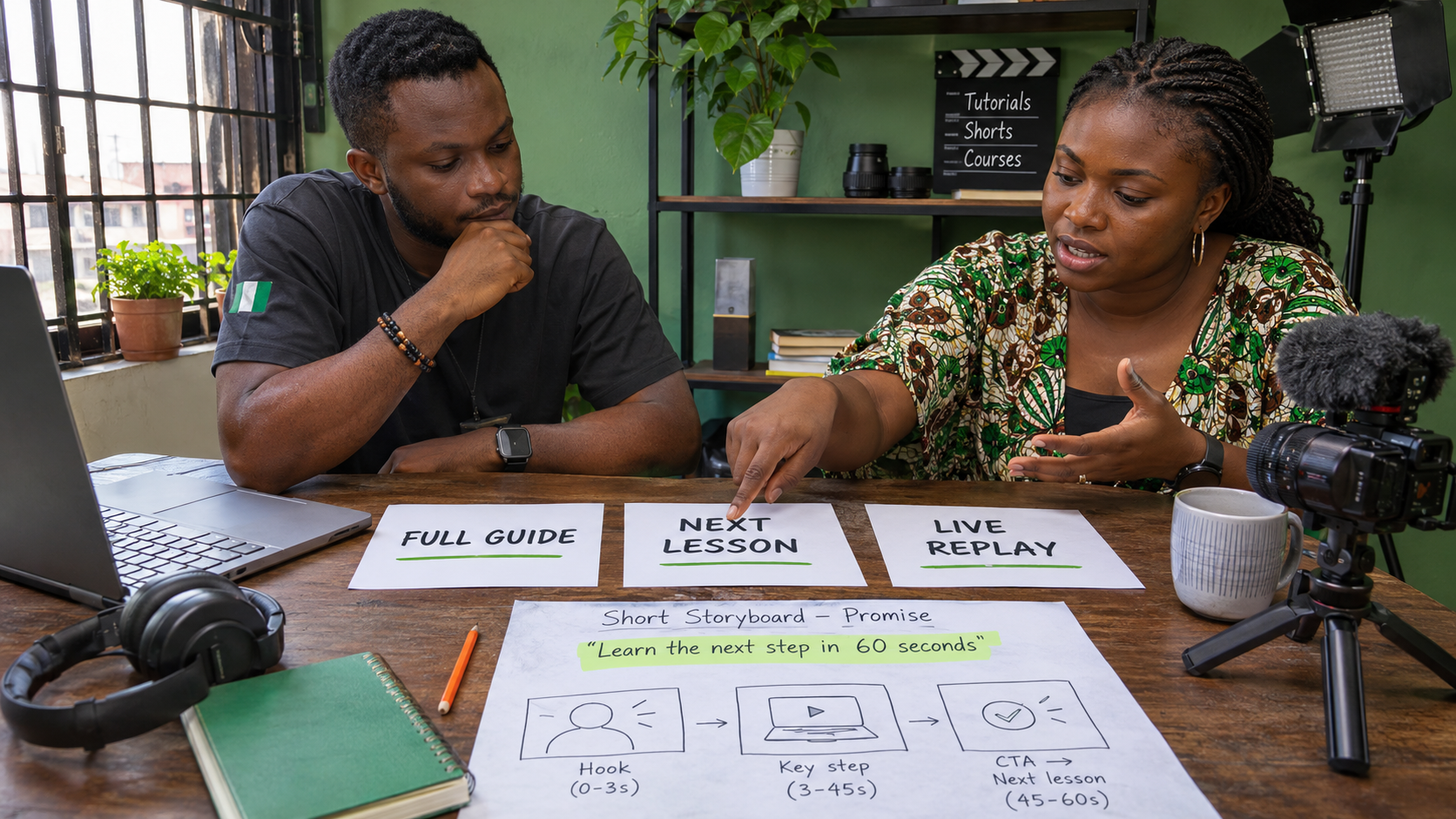
For example, imagine a Nigerian phone-repair educator posts a Short showing how to identify moisture near a charging port. A useful related video might be a full diagnostic guide that explains what to switch off, what not to insert into the port and when to seek professional repair. Linking to an unrelated unboxing video would break the viewer's momentum.
Check feature access and destination visibility
YouTube currently requires advanced feature access before a creator can add a related video. On a computer, you can review access in YouTube Studio under Settings, Channel and Feature eligibility. YouTube notes that not every feature is managed in that tab, so use the current status shown for your channel and follow the official feature-access guidance.
The selected destination must be public or unlisted and must follow YouTube's Community Guidelines. Do not make a private production draft public merely to satisfy the link requirement. Publish or unlist the correct, approved version only when it is ready for viewers.
If advanced access is unavailable, do not try to imitate the feature with a misleading caption. Resolve the access requirement through the choices YouTube provides to the primary channel owner, or publish the Short without the related link until the channel qualifies.
Add the related video in YouTube Studio
- Sign in to YouTube Studio on the correct channel.
- Open Content and select the Short you want to edit.
- Choose the Related Video field.
- Select the approved Video, Short or Live upload from your channel.
- Save the change.
These are the current steps in YouTube's official related-video instructions. Interface wording can change, so rely on the live Studio controls rather than an old screenshot.

Test from the viewer's side
Open the Short from an account that does not manage the channel. Confirm that the related link appears below the channel handle, opens the intended upload and works on the current YouTube app. Also check the Short on the web if that matters to your audience.
Watch the first part of the destination as a new viewer. The title, thumbnail and opening should continue the subject introduced by the Short. If the destination begins with a long unrelated announcement, the link may be technically correct but editorially weak.
Ask a colleague to describe what they expected before tapping and what they found afterwards. A mismatch is a reason to replace the destination, not to rewrite the Short's promise after viewers have already seen it.
Know when no related video is the better choice
Do not add a destination simply because the field is available. A self-contained announcement, a time-sensitive correction or a Short with no suitable follow-up may be clearer without one. An unrelated link can make the channel feel less organised and may disappoint a viewer who expected a direct continuation.
If the right follow-up has not been produced, note the opportunity in your content plan. Create and review that destination first, then return to the Short and add it. This keeps the link useful instead of turning it into a placeholder.
Avoid common linking mistakes
- Using one default destination everywhere: popularity does not make a video relevant to every Short.
- Linking to an unfinished upload: unlisted is permitted, but the content still needs to be viewer-ready.
- Promising details the destination does not contain: the Short and linked video should agree.
- Forgetting an old link: replace the related video when a newer, more accurate guide becomes the better next step.
- Treating the link as a result guarantee: a clickable path does not guarantee that viewers will tap or keep watching.
Review the path before adding promotion
A related video improves navigation between two pieces of your own content. It does not replace a clear Short, a useful destination or an honest title. Review the complete path before directing more attention to the Short.
Cloutingo lists current YouTube and other social media promotion options on its services page. Individual services vary in requirements, audience, delivery and terms. Read the terms, keep activity reasonable in relation to your organic engagement and choose only a service that matches the exact link type requested.
When the Short and destination are both ready, you can create a Cloutingo account and compare the available options. Promotion can increase exposure to content, but it cannot guarantee clicks, watch time, subscribers or sales.